fodydev/afrim-keyboard
afrim-keyboard/Afrim Input Method Engine for Android
2 donors
DonateGive AI tokens from your own API key or GPU to open-source projects or to anyone. Your key never leaves your machine, and every request has a signed public receipt. Free.
Their maintainers added them to Moochy. Pick one and set a monthly limit.
afrim-keyboard/Afrim Input Method Engine for Android
2 donors
DonateMoochy client: donate LLM tokens to open source from your own API account. Your key never leaves your machine. Rust, Apache-2.0.
1 donor
DonateAgent skills for Moochy: add the Donate tokens button, use donated tokens, donate tokens.
1 donor
DonateSplit repository for cisv-core
No donors yet
DonateInput method framework that help you to build your own input method engine.
No donors yet
DonateA frontend interface to afrim ime.
No donors yet
DonateA small open model downloads once, then answers from inside your tab. No sign-up, no API key, $0 a token. Tools go online only when you allow them.
From your API key to a maintainer's terminal, and the button on their README.
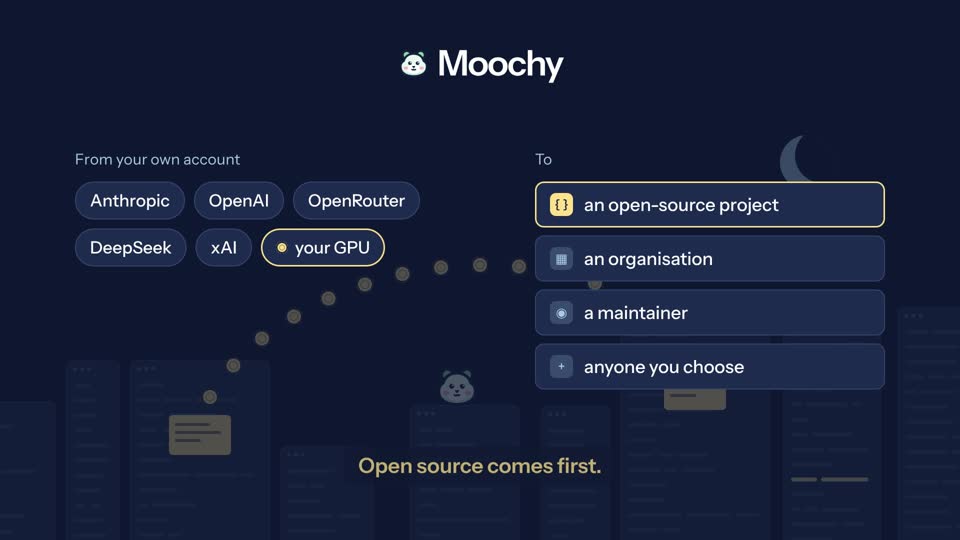
For example $20 a month for a library you depend on. Pause or stop whenever you want.
It keeps your provider key and answers the project's requests with it. Every limit is checked on your machine.
Each request ends with a receipt signed by your device: the project, the model, the cost and the day.
Make a single-use link or QR code for a fixed amount, from $1 to $1,000, and send it to a friend, a student or a colleague. Your own key pays for what they use, for 12 months.
Sign in, add your API key, set a monthly limit and pick a project: four screens. Then one switch pauses or resumes donating.


Add it to Moochy and your users can donate tokens from their own AI provider accounts. You and your members use them for reviews, tests and fixes, with limits the donors set.
moochy keys add, on your machine. It is stored there and nowhere else.Donations and gifts run on your own key from any of these providers, or on your own GPU.
Use the tokens you receive from every coding agent with MCP or an OpenAI- or Anthropic-compatible API:
Run Ollama and the Moochy app side by side on your own NVIDIA GPU. Set a monthly limit and a model in .env, then start it. The compose file opens no port.
docker compose --profile gpu up -dNo. Moochy is free: no fees, no commission, no paid plan. You pay your AI provider directly, only for the requests your donation or gift serves, and never more than the limit you set.
Yes. Make a gift link for a fixed amount and send it, or print its QR code. The person who claims it uses the tokens for their own AI work, on any project, public or private. Your key stays on your machine and pays only for the requests the gift serves.
A single-use link to a fixed amount of AI tokens, from $1 to $1,000. The first person who opens it and signs in claims it. Moochy shows the link once and keeps only a hash of it. Until someone claims it, you can revoke it or replace it.
Your limits: a monthly limit, optional weekly and daily limits, and a limit per request ($5 unless you change it). Moochy's servers keep them, and the app on your machine checks them again before every request. Your machine's own monthly limit holds whatever the servers ask for. The app also runs safety checks and refuses requests with risky settings.
For each request: the project, the model, the cost and the day, in a receipt signed by your device. You never see the project's code or prompts, and the project never sees your key.
The Moochy app, the part that holds your key and does the encryption, is open source under Apache-2.0. Moochy's servers and this website are not, which is why the app never needs to trust them. How that works
Give a project you use every day a monthly limit, or send someone a gift link. It takes two minutes.